Symiro – Your AI-PoweredComputational Assistant
An AI assistant with a built-in Wolfram Language and MATLAB interpreter. Ask mathematical, computational, or symbolic questions — and get executable, verifiable answers directly in your browser.
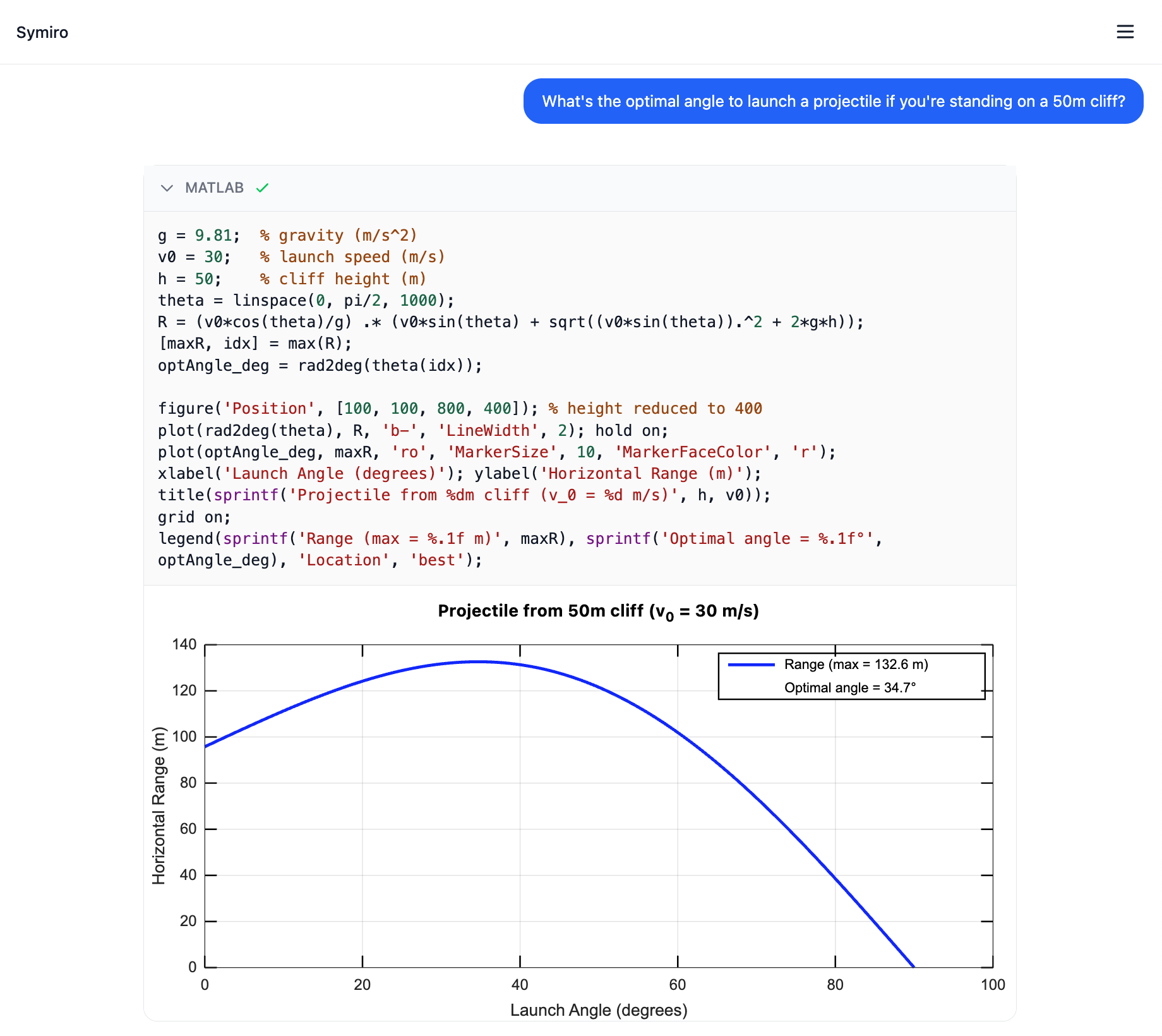
Built-in Code Execution
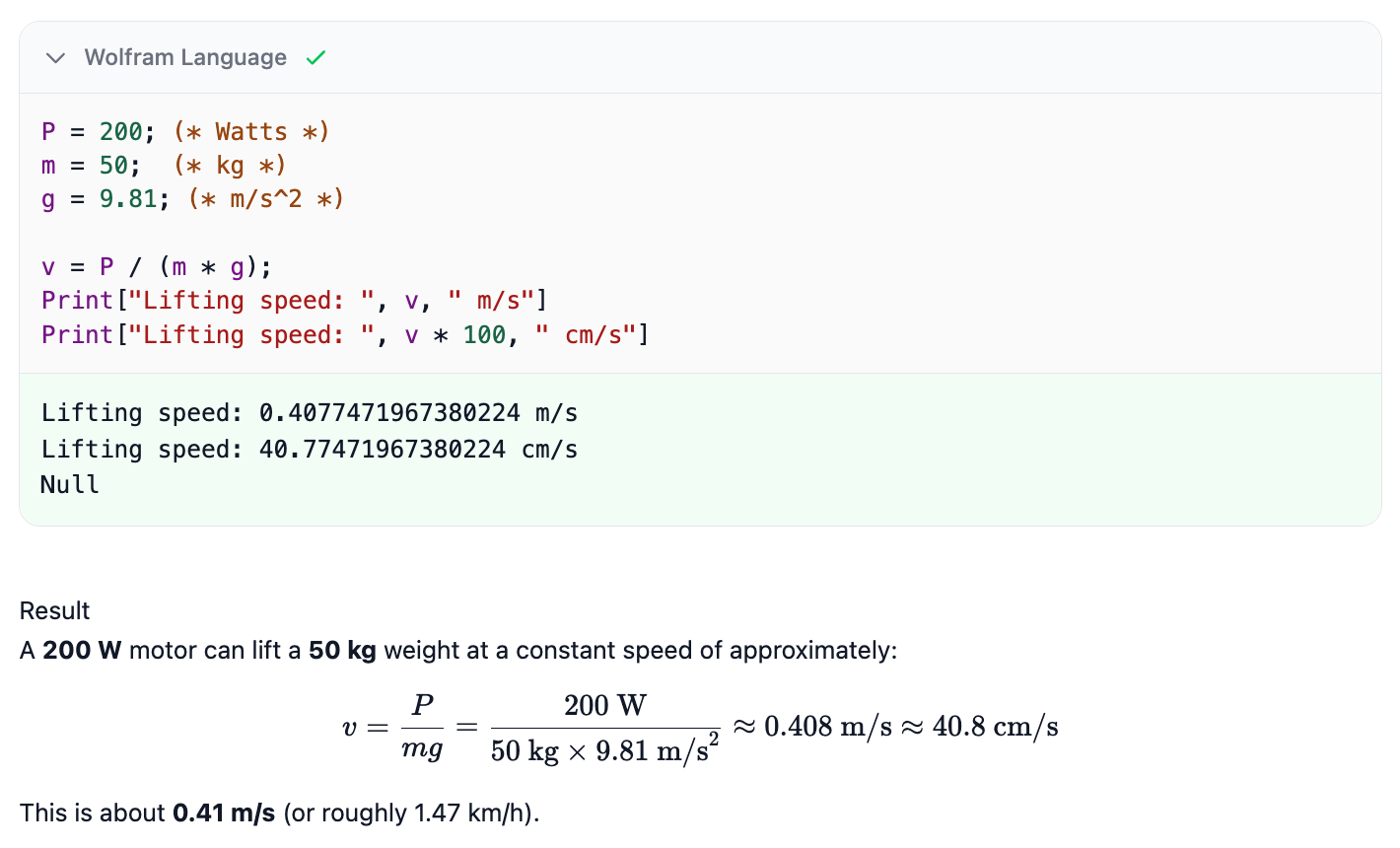
Symiro integrates the Woxi interpreter directly in the browser via WebAssembly. The LLM writes code, the interpreter runs it, and results — including graphics — appear inline in the conversation.
- ✓ Wolfram Language with symbolic computation
- ✓ MATLAB support via GNU Octave backend
- ✓ Inline 2D and 3D graphics rendering
- ✓ Editable code blocks — modify and re-run
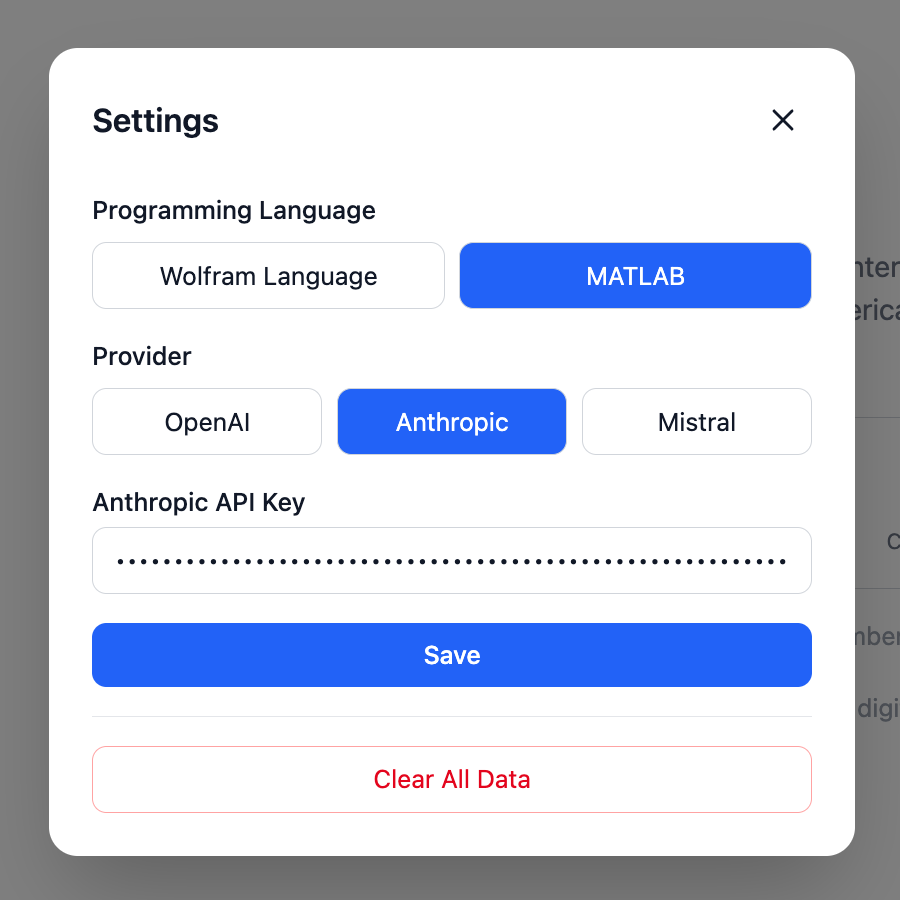
Multi-Provider LLM Support
Choose between OpenAI, Anthropic, and Mistral. Switch providers at any time — even mid-conversation — using the provider toggle in the input bar or the settings dialog.
- ✓ OpenAI (GPT-5.2 Codex)
- ✓ Anthropic (Claude Opus 4.6)
- ✓ Mistral (Large)
- ✓ API keys stored locally — never sent to any third-party server
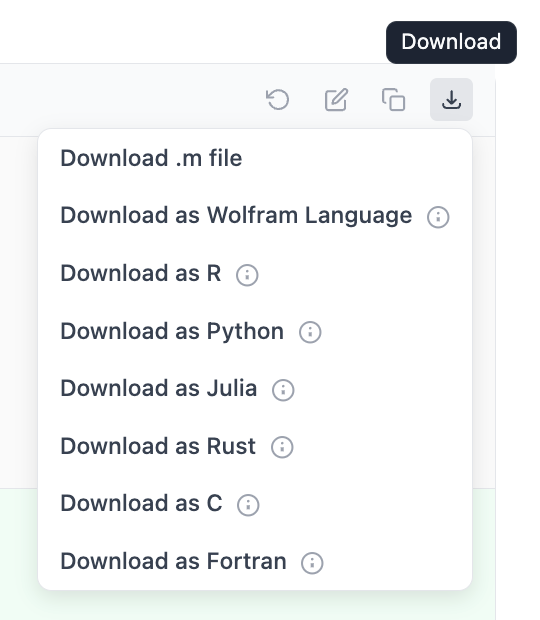
Code Conversion & Download
Every code block can be downloaded in its original language or converted to another language using the LLM. One click to go from Wolfram Language to Python, Julia, Rust, C, R, or Fortran.
- ✓ Direct download as .wl or .m file
- ✓ LLM-powered conversion to 7 languages
- ✓ Python, R, Julia, Rust, C, Fortran
Flexible Export Formats
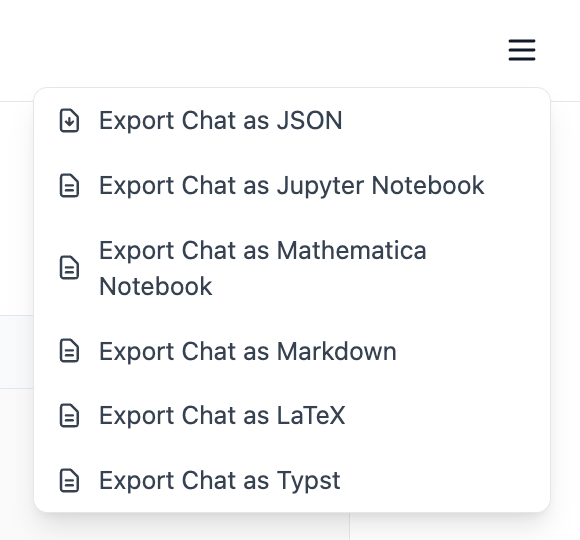
Export entire conversations in the format that fits your workflow. Share results with colleagues, embed them in papers, or continue working in a notebook environment.
- ✓ JSON for programmatic access
- ✓ Jupyter Notebook (.ipynb)
- ✓ Mathematica Notebook (.nb)
- ✓ Markdown, LaTeX, and Typst
And More
Streaming Responses
Tokens stream in as the LLM generates them. Code execution happens automatically and results appear inline.
Conversation History
All conversations are persisted in localStorage. Pick up where you left off — no account required.
File Attachments
Attach images or text files to your messages. Drag and drop or use the attachment button.
Dark Mode
Automatic dark mode that follows your system preference, with manual toggle available.
LaTeX & Syntax Highlighting
Mathematical expressions rendered with KaTeX. Code blocks highlighted with language-aware syntax coloring.
Privacy-First
Runs entirely in the browser. API keys and conversations stay in your localStorage — nothing touches our servers.